



Struggling with fragmented communication and inefficient support workflows? You’re not alone. Businesses everywhere are facing increasing complexity as customer expectations rise. That’s where Omni Sync steps in — to unify, simplify, and supercharge your customer support.
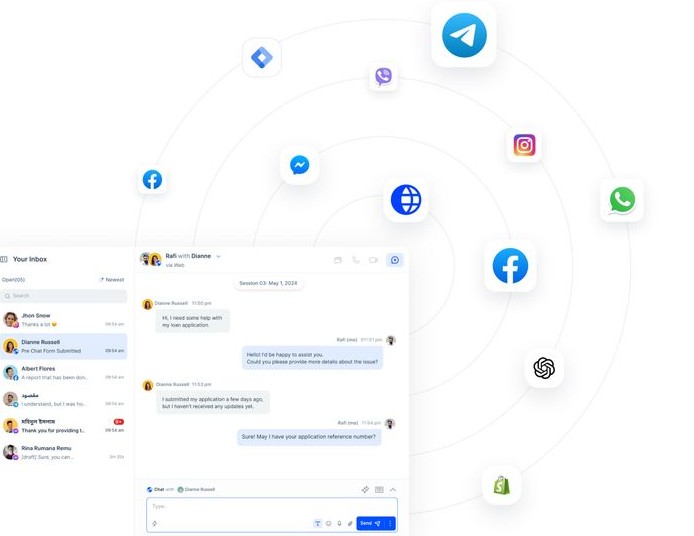
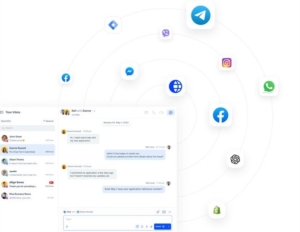
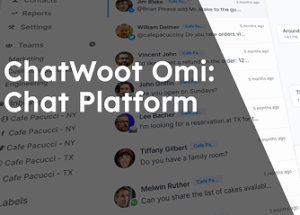
No more switching between platforms — Omni Sync brings all your messages together seamlessly.

Easily assign support tickets to the right agents, track resolution status, and ensure a smooth, transparent workflow across the support team.
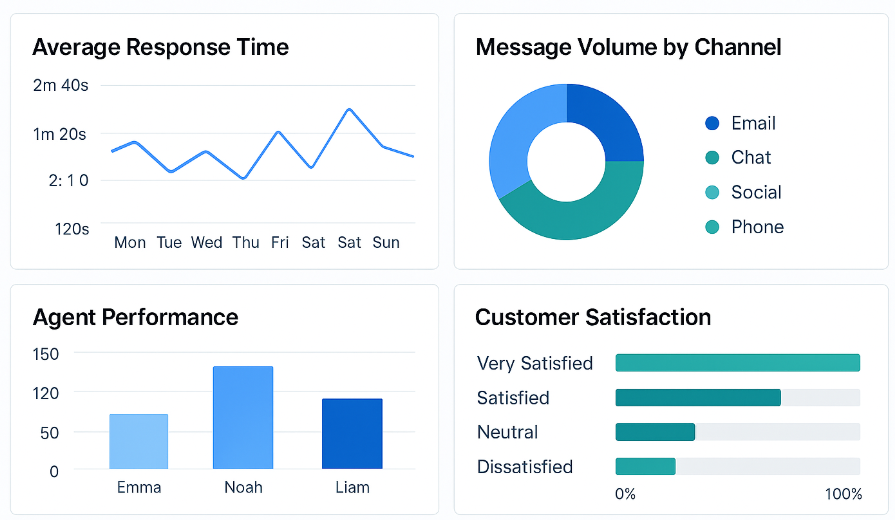
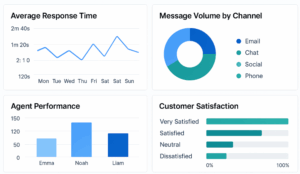
Get real-time insights into response times, message volumes by channel, and agent performance — all in an intuitive visual report dashboard.
Reduce repetitive tasks, speed up response times, and enhance the overall customer experience — while improving your team’s productivity.
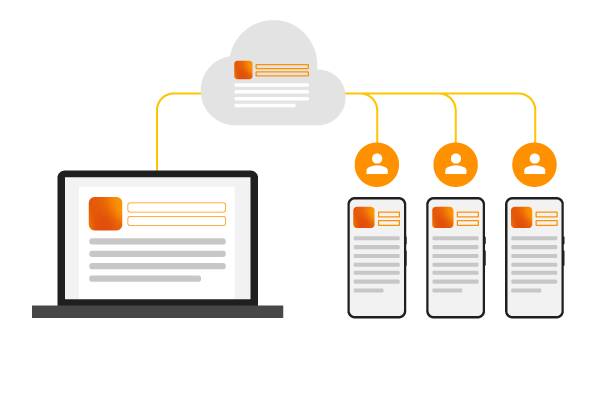
Automatically sync data from multiple systems in real time, ensuring you always work with the most up-to-date information across channels.
Start consolidating your chat channels and boost team efficiency — all in one powerful platform. Try it free now.
Help customers find answers fast with a flexible, easy-to-use knowledge base. Customize it to match your brand and give them a smooth 24×7 self-service experience.
Automatically send data from your CRM, database, or external systems into OmniSync via n8n. This allows OmniSync to enrich conversations on Zalo OA in real time — with relevant customer info displayed right where support teams need it.
Use n8n to process incoming messages via OmniSync, apply your own lead scoring logic (based on tags, source, or metadata), then send routing instructions back to OmniSync. From there, messages are assigned to the right agent or automation flow inside your support system.
Trigger alerts in Slack, email, or other internal tools from n8n nodes, based on events flowing through OmniSync — like high-value customer messages from Zalo OA, SLA risks, or predefined keywords.
Use n8n’s flexible workflows to map and transform incoming data formats to match OmniSync’s schema — making complex integrations simple and reliable. Customize how data flows and appears inside your customer conversations and dashboards.
Use n8n to generate personalized message content via AI or predefined templates, then send it to OmniSync for delivery to the end-user via Zalo OA. Perfect for onboarding flows, post-purchase messages, or intent-based responses.
Build with the precision of code or the speed of drag-n-drop. Host with on-prem control or in-the-cloud convenience. Bin gives you more freedom to implement muld step Al agents and integrate apps than any other tool.
Here are some of the more frequently asked questions. But, if you still have any other questions, feel to chat with us here or drop us an email.
Yes, we have a free trial package. Please contact our team for more details.
Omni Sync is designed to easily connect automatically with systems, making the setup process quick and straightforward.
OmniSync processes data and messages in real-time or near real-time depending on your integration setup. Delays are minimal and optimized for speed.
Yes. With n8n, you can receive message events from OmniSync and send automated replies, trigger AI responses, or start workflows — all within your own logic.
Explore practical tips, product updates, and how-tos to make the most of your multi-channel support with OmniSync.
Lorem ipsum dolor sit amet, consectetur adipiscing elit, sed do eiusmod tempor incididunt ut labore et dolore magna aliqua. Ut enim ad minim veniam, quis nostrud exercitation ullamco laboris nisi ut aliquip ex ea commodo consequat. Duis aute irure dolor in reprehenderit in voluptate velit esse cillum dolore eu fugiat nulla pariatur. Excepteur sint occaecat […]
Track response time, message volume, and agent performance — all in one beautiful dashboard.📈 Gain insights, improve workflows, and scale your support with data that matters.
Easily route Chatwoot messages through OmniSync for better visibility and agent tracking.🔧 No coding needed – just connect, assign, and track conversations in real-time.
Unify your Freshchat inbox with other platforms inside OmniSync.

1. Self-Hosting Chatwoot 2. User of Chatwoot Get Chat Url và Account ID Get Access token (Follow step below)
Do you have an exciting strategic project coming up that you would like to talk about?